RAM Speed Bottleneck Explained: Dual Channel vs Single Channel & Gaming FPS
⚡ Quick Summary: RAM Speed Bottleneck Explained
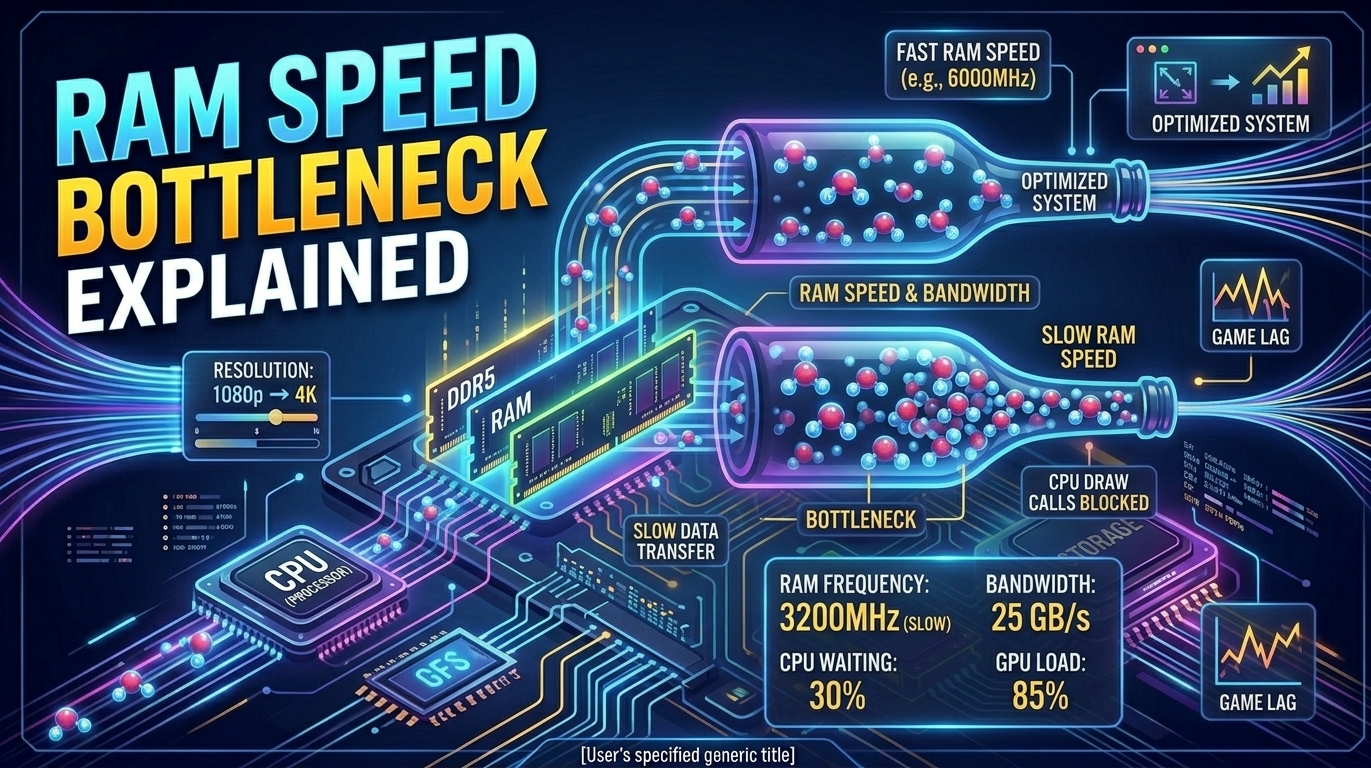
Yes, slow RAM speed creates a severe CPU bottleneck in gaming systems. When system memory runs at base JEDEC clock speeds or in single-channel mode, memory bandwidth is cut in half and access latency spikes. Your CPU must wait for frame data and engine assets before it can submit draw calls to the graphics card, causing micro-stutters, high 1% low frame drops, and up to 30% lower average FPS at 1080p. Test your custom system setup with our PC Bottleneck Calculator.
What Is a Memory Bottleneck? RAM Speed Bottleneck Explained
When gamers upgrade their gaming rigs, they typically focus almost exclusively on getting a faster graphics card or a multi-core processor. However, System Random Access Memory (RAM) acts as the high-speed bridge connecting your storage drive, CPU cache, and discrete GPU. Having a **RAM speed bottleneck explained** simply comes down to data throughput: if your RAM cannot deliver game assets fast enough to match the processing speed of your CPU, the entire system slows down.
Every time a game engine renders a frame, your central processor performs physics calculations, updates AI scripts, and packages render requests into **draw calls**. These draw calls are then sent to the graphics card. Before the CPU can package a draw call, it must retrieve temporary game files—such as player positions, world state data, and geometry tables—from system RAM. If the RAM operates at slow clock frequencies or suffers from high latency, the CPU stalls in an idle state called a **memory wait state**.
Corsair Vengeance RGB 32GB DDR5 (6000MHz CL30)
Optimized low-latency kit engineered to eliminate CPU draw call bottlenecks on AMD Ryzen 7000/9000 & Intel 13th-15th Gen platforms.
Single-Channel vs. Dual-Channel Memory Bandwidth
One of the most common causes of a memory bottleneck is running a single memory module instead of two identical modules installed in parallel. To understand **RAM speed bottleneck explained** in physical hardware terms, you must look at bus width.
A single memory stick connects to the CPU's integrated memory controller (IMC) over a **64-bit wide data bus**. When you install a second stick in the proper matching DIMM slots (typically slots A2 and B2), the memory controller enables **Dual-Channel Mode**, widening the data pathway to **128-bit**.
- Single-Channel (64-Bit Bus): Restricts data transfer rates to ~25 GB/s to 35 GB/s on DDR4 platforms, choking CPU thread utilization in modern open-world titles like Cyberpunk 2077 or Hogwarts Legacy.
- Dual-Channel (128-Bit Bus): Instantly doubles operational bandwidth up to 50 GB/s - 90+ GB/s, allowing modern 8-core and 16-core processors to stream asset buffers smoothly without dropping frames.
Clock Speed (MHz) vs. CAS Latency (CL): The Technical Balance
Evaluating RAM performance requires balancing raw transfer speed (measured in MegaTransfers per second or MHz) and latency response time (measured in nanoseconds).
Memory Frequency (MHz)
Determines the maximum volume of data transferred per second. Higher MHz directly increases total memory bandwidth, which is essential for high refresh rate gaming at 1080p and 1440p resolutions.
CAS Latency (CL)
Refers to the delay (in clock cycles) between when a memory command is issued by the CPU and when data is delivered. Lower CAS numbers mean faster response times and fewer micro-stutters.
To calculate the true real-world latency of your RAM kit in nanoseconds (ns), use the standard industry formula:
For instance, a **DDR4-3200 CL16** kit has a true latency of **10.0ns**, while a **DDR5-6000 CL30** kit delivers a true latency of **10.0ns** alongside nearly double the raw bandwidth.
DDR4 vs. DDR5 Performance Bottlenecks in Modern Games
The transition from DDR4 to DDR5 architecture brought fundamental changes to memory design. While DDR4 uses a single 64-bit channel per stick, a single DDR5 stick is internally split into **two independent 32-bit sub-channels**. This structural overhaul increases burst lengths and bank groups, making DDR5 far more efficient at multi-threaded workload handling.
In competitive Esports games (such as Valorant, CS2, and Fortnite) played at 1080p low settings, upgrading from standard DDR4-2666 to DDR5-6000 can improve 1% low frame rates by 20% to 35%, effectively removing frame drops during intensive firefights.
⚡ Benchmark Your Hardware Profile Today
Run your exact processor, graphics card, and memory specs through our specialized hardware analysis calculators.
How to Fix a RAM Speed Bottleneck: Step-by-Step Guide
- Enable Intel XMP or AMD EXPO in BIOS: Out of the box, all high-speed RAM defaults to base JEDEC safety speeds (2133MHz for DDR4, 4800MHz for DDR5). Restart your PC, enter BIOS setup (F2 or Del key), navigate to memory settings, and activate Profile 1.
- Verify Dual-Channel Slot Placement: Motherboards with four DIMM slots require sticks installed in slots 2 and 4 (labeled A2 and B2) to enable dual-channel trace routing.
- Update Motherboard Firmware (BIOS): Updates improve memory controller stability and EXPO/XMP compatibility profiles for high-frequency memory kits.
- Upgrade to 32GB Capacity: Modern AAA gaming titles easily exceed 12GB of system RAM usage. When capacity is depleted, Windows uses hard drive paging files, causing severe frame hitches.
Frequently Asked Questions (FAQs)
Can slow RAM bottleneck a powerful graphics card like an RTX 4080?
Yes. If your memory speed is too slow to supply draw calls quickly, your GPU will sit underutilized at 60-70% capacity, leaving frame performance unfulfilled.
How can I check if XMP or EXPO is currently enabled?
Download CPU-Z, navigate to the Memory tab, and check the DRAM Frequency field. Multiply that frequency value by 2 (for Double Data Rate) to see your active speed.
Does 16GB vs 32GB RAM capacity affect gaming FPS?
Capacity does not directly increase average frame rates if you have enough free headroom, but running out of RAM causes drastic stuttering as data swaps to disk.