```html PC Bottleneck Calculator | CPU & GPU Bottleneck Checker
PC Performance Tools:
⚡ Bottleneck Calculator (Active) 🎮 FPS Calculator 🔌 PSU Calculator
PC Performance & Hardware Tool

PC Bottleneck Calculator

Check the balance between your CPU and GPU and estimate which component may limit gaming performance at 1080p, 1440p, Ultrawide, or 4K resolution. Use this bottleneck calculator to evaluate a CPU and GPU combination before upgrading or building a gaming PC.

Results are estimates based on relative hardware performance scores and selected resolution. Actual performance varies by game, settings, drivers, thermals, memory, and other system factors.

Select your CPU, GPU, and gaming resolution to estimate the primary performance limitation.

🔥 Featured Hardware Upgrade

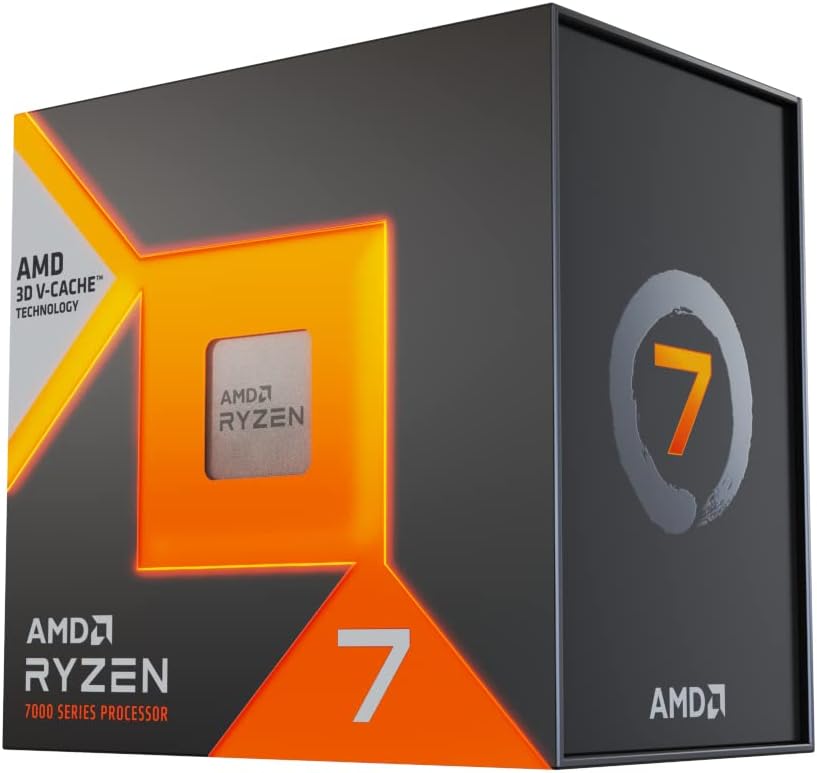
AMD Ryzen 7 7800X3D gaming CPU

AMD Ryzen 7 7800X3D

Top Rated Gaming CPU

View
ASUS Prime RTX 5070 12GB OC graphics card

ASUS Prime RTX 5070 12GB OC

Best 1440p Choice

View
Understanding PC Performance

What Is a PC Bottleneck?

A PC bottleneck occurs when one part of a computer limits the performance that the rest of the system could potentially deliver. In gaming PCs, the most common performance relationship is between the CPU (processor) and GPU (graphics card).

A CPU bottleneck can occur when the processor cannot prepare game logic, simulation, draw calls, or other work quickly enough for the graphics card. A GPU bottleneck occurs when the graphics card is the limiting component while rendering a demanding game or graphical workload.

The important point is that a bottleneck is not a permanent property of a PC. It can change depending on the game, graphics settings, resolution, frame-rate target, CPU/GPU combination, drivers, thermals, memory configuration, and workload.

CPU & GPU Balance

CPU Bottleneck vs GPU Bottleneck

Understanding which component is limiting performance helps you decide whether a CPU upgrade, GPU upgrade, or configuration change is likely to make the biggest difference.

CPU Bottleneck

A CPU bottleneck can become more noticeable when targeting very high FPS, using a powerful GPU at lower resolutions, or playing games with heavy simulation and CPU workloads. Competitive games can also expose CPU limitations when the system is trying to produce very high frame rates.

If the CPU is limiting your system, upgrading to a faster processor may improve frame rates, frame-time consistency, or minimum FPS depending on the game and workload.

GPU Bottleneck

A GPU bottleneck is common in graphically demanding games, especially at higher resolutions or quality settings. When the graphics card is the limiting component, reducing graphics quality or resolution can often increase performance.

A GPU being highly utilized is not automatically a problem. In many gaming scenarios, a GPU-limited system is exactly what you want because the graphics card is being used to render the requested image quality and frame rate.

Resolution Matters

How 1080p, 1440p, Ultrawide and 4K Affect Bottlenecks

1080p (FHD)

Lower resolutions can make CPU limitations more visible when the GPU can render frames quickly and the target FPS is high.

1440p (QHD)

1440p increases the graphics workload and often shifts more of the performance demand toward the GPU.

Ultrawide

Ultrawide resolutions such as 3440×1440 require the GPU to render more pixels than standard 1440p.

4K (UHD)

4K substantially increases rendering workload. A powerful GPU is often the main performance limiter at high image quality.

Resolution alone does not determine a bottleneck. Game engine behavior, graphics settings, frame-rate targets, CPU architecture, GPU performance, memory, drivers, and other system variables can change which component becomes the limitation.

Understanding the Result

What Does Bottleneck Percentage Mean?

A bottleneck percentage should be treated as an estimate of relative imbalance, not as a universal measurement of lost FPS. Different games can stress the CPU and GPU in very different ways.

For example, a CPU that performs well in one game may become a limitation in another game with heavier simulation or a higher FPS target. Likewise, a GPU can be the limiting component in a demanding AAA title while the same PC becomes CPU-limited in a competitive game at low settings.

This is why a good bottleneck calculator should be used as a starting point for evaluating a CPU and GPU pairing rather than a guarantee of exact real-world FPS.

Bottleneck Testing

How to Check if Your PC Has a Bottleneck

1️⃣

Check CPU and GPU usage

Monitor CPU and GPU utilization while playing the game where you experience low FPS or inconsistent performance.

2️⃣

Compare different settings

Test resolution and graphics settings. If lowering GPU-heavy settings produces a large FPS increase, the GPU may be limiting performance.

3️⃣

Use the calculator

Enter your CPU, GPU, and target resolution above to get a quick estimate of the expected hardware balance.

A real-world bottleneck test should consider more than one metric. CPU utilization, GPU utilization, individual CPU core usage, frame times, VRAM usage, RAM usage, thermals, power limits, and game settings can all influence performance.

Gaming PC Builds

CPU and GPU Pairing for a Balanced PC Build

Choosing a CPU and GPU combination is more useful than comparing either component in isolation. A high-end graphics card paired with an entry-level processor may encounter CPU limitations in some games and resolutions, while a powerful CPU paired with a lower-tier GPU may spend much of its time waiting for the graphics card.

Your ideal CPU and GPU pairing depends on your target resolution, desired FPS, game library, graphics settings, and upgrade budget. For example, a system designed for competitive 1080p gaming at very high frame rates has different requirements from a 4K gaming PC focused on visual quality.

Use this PC bottleneck calculator to evaluate a proposed CPU and GPU combination before making an upgrade decision.

Contextual Hardware Store

Recommended Components to Eliminate Bottlenecks

Handpicked GPUs, CPUs, Motherboards, Memory, Cooling and Power Supply components from Amazon.

Processor (CPU)
AMD Ryzen 7 7800X3D gaming processor

AMD Ryzen 7 7800X3D

Exceptional gaming processor with 3D V-Cache architecture.

Graphics Card (GPU)
NVIDIA RTX 4070 Super graphics card

NVIDIA RTX 4070 Super

High-efficiency 1440p gaming card with DLSS support.

Processor (CPU)
Intel Core i7-14700K gaming processor

Intel Core i7-14700K

Powerful multi-core hybrid architecture for gaming and workloads.

Performance Check Price →
Graphics Card (GPU)
AMD Radeon RX 7800 XT 16GB graphics card

AMD Radeon RX 7800 XT

16GB VRAM powerhouse designed for smooth 1440p gaming.

Memory (RAM)
Corsair Vengeance 32GB DDR5 gaming memory

Corsair Vengeance 32GB DDR5

6000MHz CL30 dual-channel kit for modern gaming systems.

Cooling (AIO)
NZXT Kraken 240 RGB CPU liquid cooler

NZXT Kraken 240 RGB

High-performance liquid cooling for managing CPU temperatures.

Motherboard
MSI MAG B650 Tomahawk motherboard

MSI MAG B650 Tomahawk

Robust AM5 motherboard with PCIe 4.0 and DDR5 support.

Power Supply
Corsair RM850e 850W power supply

Corsair RM850e 850W PSU

Fully modular 80+ Gold certified power supply for modern gaming PCs.

* As an Amazon Associate, PC Bottleneck Pro earns from qualifying purchases.

Complete Guide

Complete PC Bottleneck Guide

What Causes a PC Bottleneck?

A bottleneck can occur whenever one part of a system becomes the limiting factor for a particular workload. In gaming, CPU and GPU limitations are the most commonly discussed examples, but memory capacity, memory speed, storage, thermal throttling, power limits, software configuration, and game optimization can also affect performance.

CPU and GPU Bottlenecks Depend on the Workload

There is no single CPU or GPU bottleneck percentage that applies to every game. A processor that is sufficient for one title may become a limitation in another, particularly when the target frame rate is high. Similarly, a graphics card can become the main limitation when a game uses demanding visual effects, high texture quality, ray tracing, or a high display resolution.

Does Resolution Affect a Bottleneck?

Yes. Resolution changes the amount of work the graphics card has to perform. At 1080p, a powerful GPU may be capable of rendering frames quickly enough that CPU performance becomes more visible, particularly at high FPS targets. Moving to 1440p or 4K generally increases the GPU workload, which can shift the system toward a GPU-limited scenario.

Is a GPU Bottleneck Bad?

Not necessarily. If your GPU is the limiting component while producing the graphics quality and frame rate you want, that can be a normal and desirable gaming scenario. The goal is not to eliminate every possible bottleneck; the goal is to build a system where the hardware balance matches your games, resolution, FPS target, and budget.

How Can I Reduce a CPU or GPU Bottleneck?

The appropriate solution depends on the limiting component. A CPU-limited system may benefit from a faster processor, optimized game settings, a higher-performance CPU platform, or a lower FPS target. A GPU-limited system may benefit from reducing graphics settings or resolution, using an appropriate upscaling technology, or upgrading the graphics card.

Related PC Performance Calculators

If you are planning a complete gaming PC upgrade, use our other tools alongside the bottleneck calculator:

Bottleneck Calculator FAQ

Frequently Asked Questions About PC Bottlenecks

What is a PC bottleneck?

A PC bottleneck occurs when one component limits the performance of the system for a particular workload. CPU and GPU limitations are the most common examples in gaming.

How accurate is a bottleneck calculator?

A bottleneck calculator provides an estimate rather than a guarantee of real-world performance. Actual results vary by game engine, settings, resolution, drivers, thermals, memory, and other system variables.

Is a 10% bottleneck acceptable?

A small estimated imbalance is not automatically a problem. There is no universal percentage that is always acceptable because the practical effect depends on the game, workload, resolution, and desired FPS.

Does 1440p reduce CPU bottlenecks?

Moving from 1080p to 1440p increases the GPU rendering workload and can make the GPU more likely to become the limiting component. It does not automatically eliminate a CPU limitation.

What causes a CPU bottleneck?

A CPU bottleneck can occur when the processor cannot prepare game workloads quickly enough for the desired frame rate. CPU-heavy game engines, high FPS targets, background processes, and weaker processor performance can contribute.

What causes a GPU bottleneck?

A GPU bottleneck occurs when the graphics card is the main performance limitation. High resolution, demanding graphics settings, ray tracing, and complex visual effects can increase GPU workload.

Is a GPU bottleneck good for gaming?

A GPU limitation is not necessarily bad. When the GPU is fully utilized while delivering the desired image quality and frame rate, that can be a normal gaming scenario.

How does screen resolution affect bottlenecks?

Higher resolutions require the GPU to render more pixels. This often increases GPU workload and can shift the balance away from a CPU-limited scenario, although the result depends on the game and hardware.

Can RAM speed cause a bottleneck?

Memory performance can affect gaming performance, especially in CPU-sensitive workloads. Capacity, memory speed, latency, and single- versus dual-channel configuration can all matter.

Can an SSD or HDD affect gaming performance?

Storage affects loading times and can affect asset streaming in some games. A slow storage device can contribute to loading delays or streaming issues, but it is not the same type of CPU/GPU bottleneck measured by this calculator.

Should I upgrade my CPU or GPU first?

Check which component is limiting your target games and resolution. GPU upgrades are often useful for higher graphics quality and resolution, while CPU upgrades can be more important for CPU-limited games and high-FPS gaming.

What is thermal throttling?

Thermal throttling occurs when a CPU or GPU reduces its operating performance to manage excessive temperature. It can reduce performance independently of the normal CPU/GPU balance.

Does VRAM affect gaming performance?

Yes. If a game exceeds available VRAM, performance can suffer through stuttering, texture problems, or reduced performance. VRAM limitations are different from a simple CPU/GPU bottleneck calculation.

Can an underpowered PSU cause performance problems?

An inadequate or faulty power supply can cause instability, shutdowns, power-limit behavior, or other issues. PSU sizing should be evaluated separately with an appropriate power supply calculator.

How do I know if my PC is bottlenecked?

Monitor CPU and GPU utilization, frame times, temperatures, memory usage, and FPS while gaming. Compare performance at different settings and use a bottleneck calculator as an additional estimate.

Is a 30% bottleneck bad?

A large estimated imbalance may indicate that the CPU and GPU are poorly matched for the selected workload, but the percentage should not be interpreted as a guaranteed 30% FPS loss.

Does overclocking reduce bottlenecks?

Increasing CPU or GPU performance can reduce a limitation in some situations, but overclocking is not a universal solution. Cooling, stability, power limits, and the specific workload all matter.

Are bottleneck calculators 100% precise?

No calculator can perfectly predict every real-world game scenario. Use the result as an estimate and combine it with benchmarks and in-game monitoring when making hardware decisions.

Can motherboard PCIe generation cause a bottleneck?

PCIe bandwidth can matter in some configurations, but the practical gaming impact depends on the GPU, slot configuration, workload, and PCIe generation. It should not automatically be treated as a major bottleneck.

What is a balanced gaming PC build?

A balanced gaming PC pairs the CPU, GPU, memory, storage, cooling, and power supply appropriately for the target resolution, games, frame rate, and budget.

Does RAM capacity affect bottlenecks?

Insufficient RAM can cause paging and performance problems, particularly when gaming alongside other applications. RAM capacity is a separate consideration from the CPU/GPU bottleneck estimate.

Do esports games behave differently from AAA games?

Yes. Competitive games often target very high frame rates and can expose CPU limitations, while graphically demanding AAA games can place substantially more load on the GPU.

How do DLSS and FSR affect bottlenecks?

Upscaling technologies reduce the internal rendering workload placed on the GPU. Depending on the game and target FPS, this can change the balance between CPU and GPU limitations.

Can background applications create a CPU bottleneck?

Yes. Recording software, browsers, launchers, monitoring applications, and other background workloads can consume CPU resources and affect gaming performance.

Can bottlenecks affect video editing?

Component limitations can affect video editing and rendering, but those workloads behave differently from gaming. CPU cores, GPU acceleration, RAM, storage, codecs, and software all influence performance.

When should I check for a bottleneck?

Check a CPU and GPU combination before buying major hardware upgrades, building a new PC, changing your target resolution, or increasing your desired gaming frame rate.

Can monitor refresh rate affect gaming?

A monitor's refresh rate determines how many frames it can display per second. A high FPS output can still be useful for responsiveness even when it exceeds the display refresh rate, depending on the game and synchronization settings.

Does dual-channel RAM help gaming performance?

Dual-channel memory can increase available memory bandwidth compared with a single-channel configuration and can improve performance in memory-sensitive workloads.

Why can games stutter even with a low bottleneck percentage?

Stuttering can result from shader compilation, asset streaming, drivers, background tasks, thermal issues, memory pressure, game optimization, storage behavior, or other factors unrelated to a simple CPU/GPU balance estimate.

Can I use this calculator for a laptop?

The CPU/GPU concept also applies to laptops, but mobile processors and GPUs can have different power and thermal limits. A laptop's real performance may therefore differ from a desktop comparison.

Can this calculator predict my exact FPS?

No. A bottleneck calculator evaluates relative hardware balance. Use the dedicated FPS Calculator when you want to estimate game frame rates.

How can I calculate the power supply I need?

CPU and GPU balance is different from PSU sizing. Use the PSU Calculator to estimate the appropriate power supply capacity for your PC components.

How do I use this PC bottleneck calculator?

Select your processor, graphics card, and target resolution, then choose Calculate PC Bottleneck. The tool will display an estimated performance balance and identify the primary limitation for the selected configuration.
```